


Building Games for Kids 2+
4.42.00 Reviews
App Specs
- Version
- 1.1
- Updated On
- License
- Free
- Downloads
- 100,000+
- Developer
- Bimi Boo Kids Learning Games for Toddlers FZ-LLC
- Categories
- Educational
- Platform
- Android
Screenshots
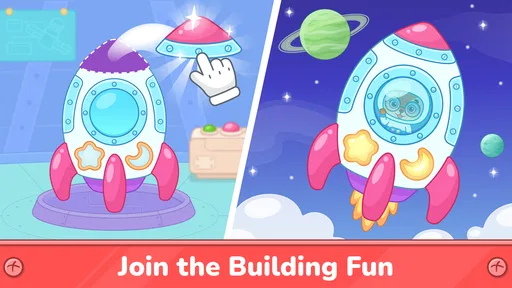
 Analysis by AppCompare
When I’m choosing a game for a toddler, I want something they can approach without a long explanation and that gives them a reason to think, not just tap repeatedly. Building Games for Kids 2+ is aimed at that early-learning sweet spot: simple construction play, familiar actions, and room for a child to experiment. I’d treat it as a short, supervised activity rather than a substitute for hands-on blocks, but it can be a useful option for a quiet moment at home or while waiting somewhere.
Where the game stands today
This is an educational game from Bimi Boo Kids Learning Games for Toddlers FZ-LLC, presented for children from age two. The game is free to install, rated for Everyone, and offers in-app purchases priced at $4.99 per item. Its current version is 1.1, and it runs on Android 7.0 or later. Those details make it straightforward to assess whether it fits a family’s device and spending preferences before a child starts playing.
The game has an average rating of 4.4 from around 760 ratings, with over 100,000 installs. I see that as a sign of broad interest, not proof that every child will enjoy it. Toddlers differ a lot in how confidently they use touchscreens, and a game that suits one child’s pace may feel too simple or too fiddly for another.
What the release history can—and can’t—tell us
It was released on August 5, 2025, and version 1.1 is the current version. That gives the game a relatively early release history, so I wouldn’t read the version number as evidence of a long record of major additions or a settled development roadmap. It’s more useful to treat what is available now as the basis for a decision, rather than assume future updates will add particular features.
For a family already using it, a move to a newer version would be worth checking for changes to the play experience before handing the device over. In particular, I’d look for whether a child’s familiar activities still feel easy to find and whether any purchase prompts or navigation steps have changed. Those are practical things to notice in a toddler app because even a small interface shift can turn independent play into a request for adult help.
What a parent should know before handing over the device
The free download is an easy way to try the game, but the in-app purchases mean I would not assume every part of the experience is included at no cost. Before a child plays alone, I’d check the purchase settings on the device and explore the game myself. That quick check helps avoid a toddler encountering a buying decision they cannot understand, and it lets a parent decide whether the available free play is enough.
I’d also introduce it as a shared activity at first. Sitting beside a child for the first few minutes lets you see whether they understand the touch interactions, whether the pace suits them, and when they start to lose interest. For a two-year-old, a short burst of play with an adult nearby is often more useful than expecting them to manage an app independently for a long stretch.
Worth Reading Before You Choose

EA SPORTS FC Mobile 26 Is a Bigger Football Game, but It Takes Time

Flipboard Shows What News Apps Must Do Beyond the Feed

Switching to Android Auto Means Rethinking Your Driving Routine

Google Calendar Makes a Crowded Week Easier to Manage

Ludo King Makes the Most of the Minutes Between Plans

Baby Panda World Brings Quick Play to Modern Phones, but Its Game Library Feels Busy
What Makes It Tick?
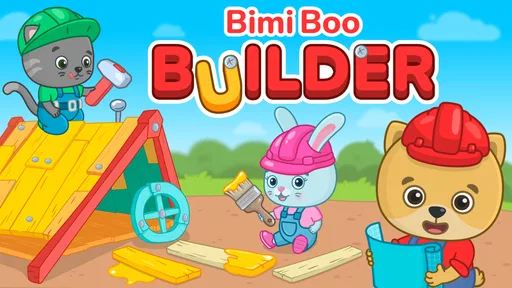
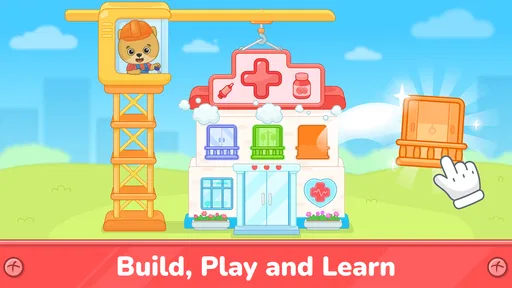
The first thing I noticed about Building Games for Kids 2+ is its bright and inviting interface. It's designed to be immediately engaging for kids, with vibrant colors and friendly animations. The app is tailored for children aged 2 and up, making it perfect for those early years when curiosity is at its peak.
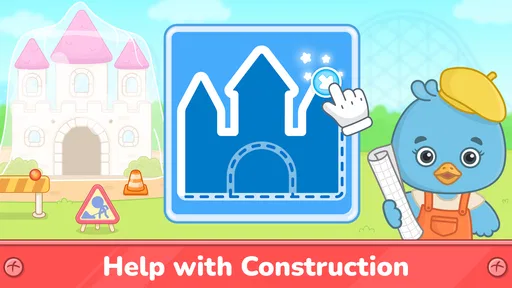
Navigation is as straightforward as it gets. The app's designers have clearly prioritized user-friendliness, ensuring that even the youngest users can explore without getting frustrated. Kids can simply tap, drag, and drop to create their own structures, vehicles, or whatever their imagination conjures up.
Features That Spark Creativity
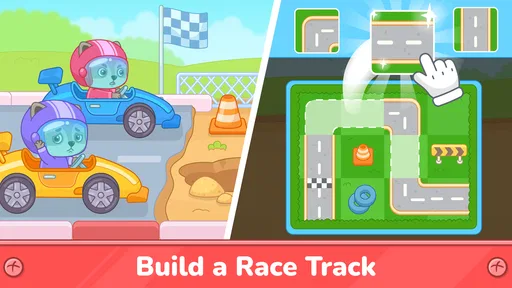
One of the standout features of the app is its wide range of building materials. From simple blocks to more complex shapes, kids have everything they need to bring their ideas to life. The app also includes animated characters that interact with the structures, adding an element of storytelling to the building process.
The interactive sound effects are a delightful addition. Each action comes with a corresponding sound, whether it's the click of a block fitting into place or the revving of a newly built car's engine. These sounds not only add to the fun but also help reinforce the cause-and-effect relationship for young minds.
Educational Benefits Wrapped in Fun
While the app is undoubtedly entertaining, it also offers several educational benefits. It enhances fine motor skills by encouraging precise movements and coordination. Moreover, it introduces basic geometry concepts as children learn about shapes and symmetry.
Problem-solving is another key element. As kids experiment with different structures, they learn to troubleshoot when things don’t go as planned. This is a fantastic way to build resilience and patience, as they figure out how to make their creations stand tall.
Making the play session work in real life
A realistic use for this game is a brief activity while a parent prepares dinner or waits for an appointment to begin. I’d start by showing a child how to place one piece, then invite them to try a different arrangement rather than taking over and building a finished design for them. That small change turns the screen into a prompt for exploration, while leaving the child in charge of the choices.
There’s also a useful way to extend the play away from the device: after a session, ask the child to find a shape in the room that resembles something they built, or offer actual blocks and let them try a similar idea. The app can be a starting point for noticing shapes and cause and effect, but the hands-on follow-up is where a young child can test balance and touch materials directly. I wouldn’t expect the digital activity on its own to teach those skills comprehensively.
For a child who gets frustrated when a physical tower falls over, digital building may feel gentler because experimentation happens without the same cleanup or the repeated need to retrieve scattered pieces. That can make it a pleasant change of pace. On the other hand, if the child’s main goal is to feel different textures, carry blocks, or work with another person, real toys are the better choice. I’d use the game as one option in a mix, not as a replacement for open-ended play.
Choosing it over other kinds of toddler games
Compared with simple matching or shape-recognition games, construction play gives a child more room to make choices instead of selecting a single right answer. Compared with video content, it asks for touch input and lets the child affect what happens next. That makes it a better fit when I want a screen activity to involve some active experimenting rather than just watching.
But a dedicated puzzle game may be more suitable if a parent wants a clear sequence of challenges, while an offline block set is better for shared, tactile play. This game’s appeal is the middle ground: it offers a digital building activity that can be picked up quickly. I’d skip it for a child who strongly prefers physical toys, becomes upset by screen transitions, or needs an app to provide structured lessons with clearly stated learning goals.
One practical tip is to keep the first session short and watch what the child does without prompting. If they explore the building actions and return to them, the game may hold their interest; if they tap rapidly without noticing the results, an adult can model slower actions or choose a different activity. This is a more useful test than judging the game by its bright presentation alone, because the child’s response tells you whether the interaction is a good match.
Safe and Secure Environment
In today's digital age, safety is a top concern for parents. Building Games for Kids 2+ has got this covered with a secure, ad-free environment. There are no in-app purchases or external links that could lead little fingers astray, allowing parents to relax while their kids play.
The app also includes a parental control feature, giving guardians the ability to set time limits and monitor usage. This ensures that screen time remains balanced with other activities, like outdoor play and reading.
A careful note about purchases and supervision
The game’s listed in-app purchases are a reason to review its settings with an adult before a child explores it. I would not rely on a toddler to distinguish play from a purchase prompt, and I would check the device’s purchase protections rather than assume the child-facing experience removes that risk. The age rating of Everyone makes the game broadly suitable by rating, but it doesn’t replace a parent’s decision about screen time, supervision, or whether the content fits their particular child.
Parents may also wonder whether it works well as an entirely independent activity. I’d be cautious about promising that for a very young user: even when basic navigation is approachable, children may need help getting started or moving on when they finish playing. A nearby adult can set a simple boundary—one short session, then a book or physical toy—which helps the app fit into a routine rather than becoming the default way to occupy every quiet moment.
What I’d watch as the game develops
Because the current version is 1.1 and the release was in 2025, I’d judge future changes by how they affect the basics that matter most here: whether a toddler can still understand the interactions, whether the construction play remains easy to return to, and whether parents can manage purchases and playtime comfortably. Those are things to observe if the game changes, not promises about what will arrive next.
For existing users, there is little reason to change a routine that is working simply because a newer version appears. I’d let the child’s response guide the decision: if the game remains an enjoyable prompt for short, creative play, keep it in rotation; if it becomes confusing or no longer holds attention, switch to blocks, drawing, or another activity without feeling that the child needs to finish or master it.
Why It's Worth the Download
In the crowded market of kids' apps, Building Games for Kids 2+ stands out for its simplicity, educational value, and pure fun. It’s not just an app; it’s a digital playground where learning happens organically through play.
Whether your child is a budding architect or just loves to explore, this app offers endless opportunities for creativity and learning. It's a wonderful tool to have on hand for rainy days, quiet afternoons, or any time you want to give your child a constructive outlet for their energy.
So, if you're looking for an app that combines entertainment with education, give Building Games for Kids 2+ a try. It's a little slice of digital magic that could very well become your child's favorite pastime.
My recommendation for the right family
I’d recommend trying it if your toddler enjoys tapping and moving pieces around, and you want a simple construction-themed activity to share or use during a short wait. Its educational angle is most convincing when an adult connects what happens on-screen to everyday play—talking about shapes, trying a similar arrangement with blocks, or asking the child what they want to build next. That keeps the experience grounded in conversation rather than treating the app as a teacher on its own.
I’d choose something else if your priority is a fully offline activity, a carefully staged curriculum, or long independent play without adult involvement. The free install lowers the barrier to trying it, while the $4.99-per-item purchases make it sensible to check what is available before deciding whether to spend. For me, the best way to think about this game is as a handy, limited-purpose addition to a toddler’s activity mix: engaging for the right child, but strongest when a parent sets the context and keeps real-world play in the picture.
Pros
- Encourages creativity and imagination.
- Simple controls for young children.
- Educational content disguised as fun.
- Vibrant graphics appeal to kids.
- No in-app purchases ensure safety.
Cons
- Limited building options might bore older kids.
- Requires internet for certain features.
- Some animations can be slow.
- Occasional ads can disrupt play.
- Audio can be repetitive for parents.
FAQs for Building Games for Kids 2+
What age group is Building Games for Kids 2+ suitable for?
Building Games for Kids 2+ is designed specifically for children aged 2 to 6 years old. The app offers simple, intuitive controls and engaging graphics that cater to young children, making it an ideal choice for early childhood development and learning through play.
What educational benefits does Building Games for Kids 2+ offer?
The app fosters creativity and problem-solving skills by allowing children to construct various structures using virtual building blocks. It also enhances fine motor skills and hand-eye coordination as children interact with the touchscreen to move and arrange pieces.
Is Building Games for Kids 2+ safe for children to use?
Yes, Building Games for Kids 2+ is designed with child safety in mind. It includes no in-app purchases or third-party advertisements, ensuring a secure environment for children to play without the risk of accidental purchases or exposure to inappropriate content.
Does Building Games for Kids 2+ require an internet connection?
No, an internet connection is not required to play Building Games for Kids 2+. This makes it convenient for use in various settings, such as during travel or in areas with limited connectivity, allowing children to enjoy uninterrupted playtime.
Are there any customizable features in Building Games for Kids 2+?
Yes, the app offers customizable features that allow children to choose different themes and building materials. This personalization encourages creativity, as children can experiment with different styles and designs, making each play session unique and engaging.


